Free AI Room Design — No Signup, Instant Results

Upload a photo of any room and get a photorealistic AI redesign in seconds. No account required, no credit card, no cost — your first 2 room designs are completely free.

What You Get for Free

No hidden fees, no bait-and-switch. Here is exactly what free AI room design includes.

2 Free Credits

Every visitor gets 2 free credits — enough to redesign 2 rooms in any style. No credit card required. Each credit generates one photorealistic room redesign that you can download and use however you like.

12+ Design Styles

Free credits unlock the full style library: Modern, Scandinavian, Farmhouse, Industrial, Japanese, Contemporary, Mid-Century, Minimalist, Bohemian, Coastal, Art Deco, and Tropical. No styles are locked behind a paywall.

No Account Required

You can start designing immediately without creating an account. Sign in with Google later if you want to save your history — but it is entirely optional. One click, no passwords, no email verification.

Free AI Room Design Results

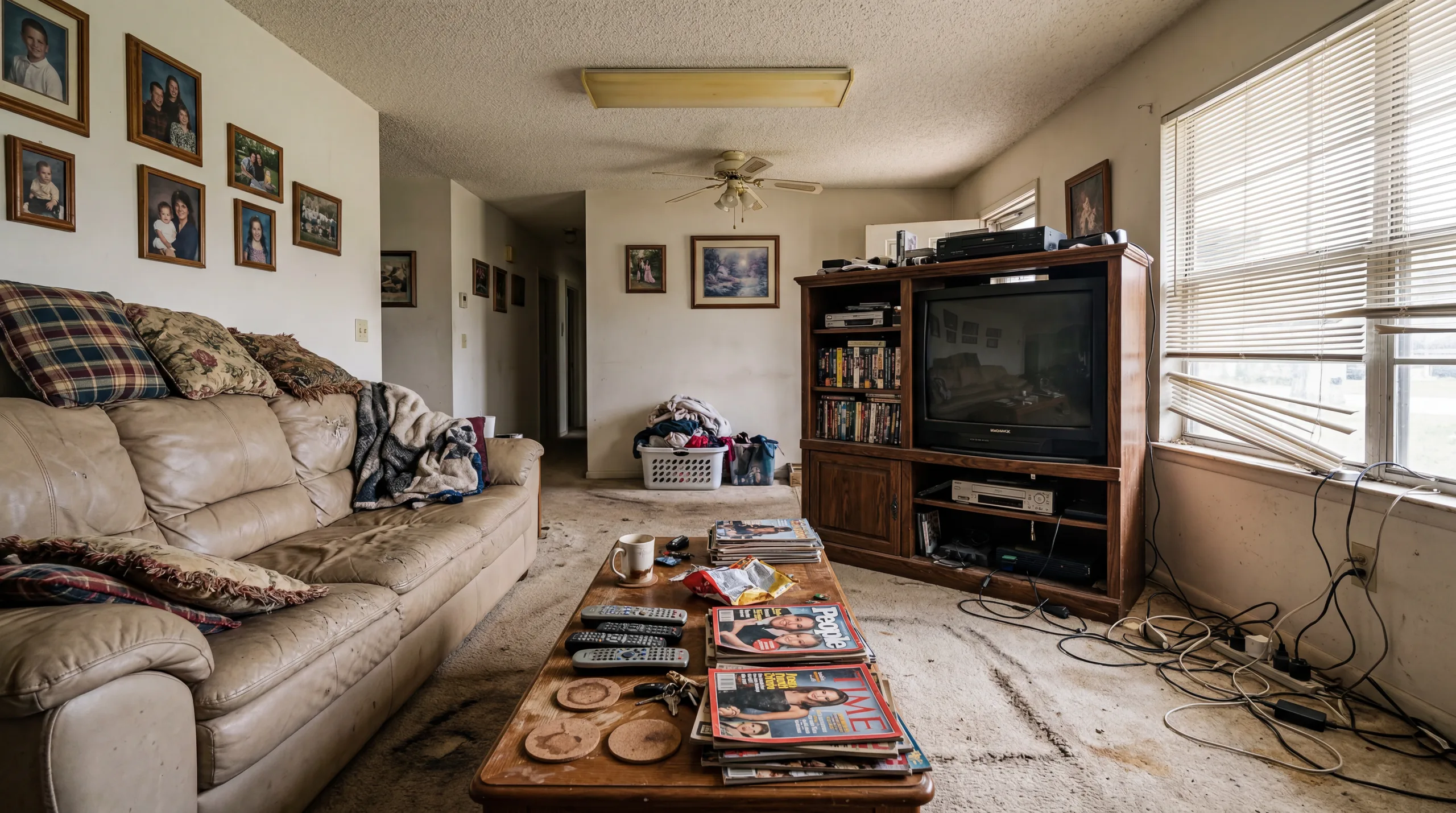
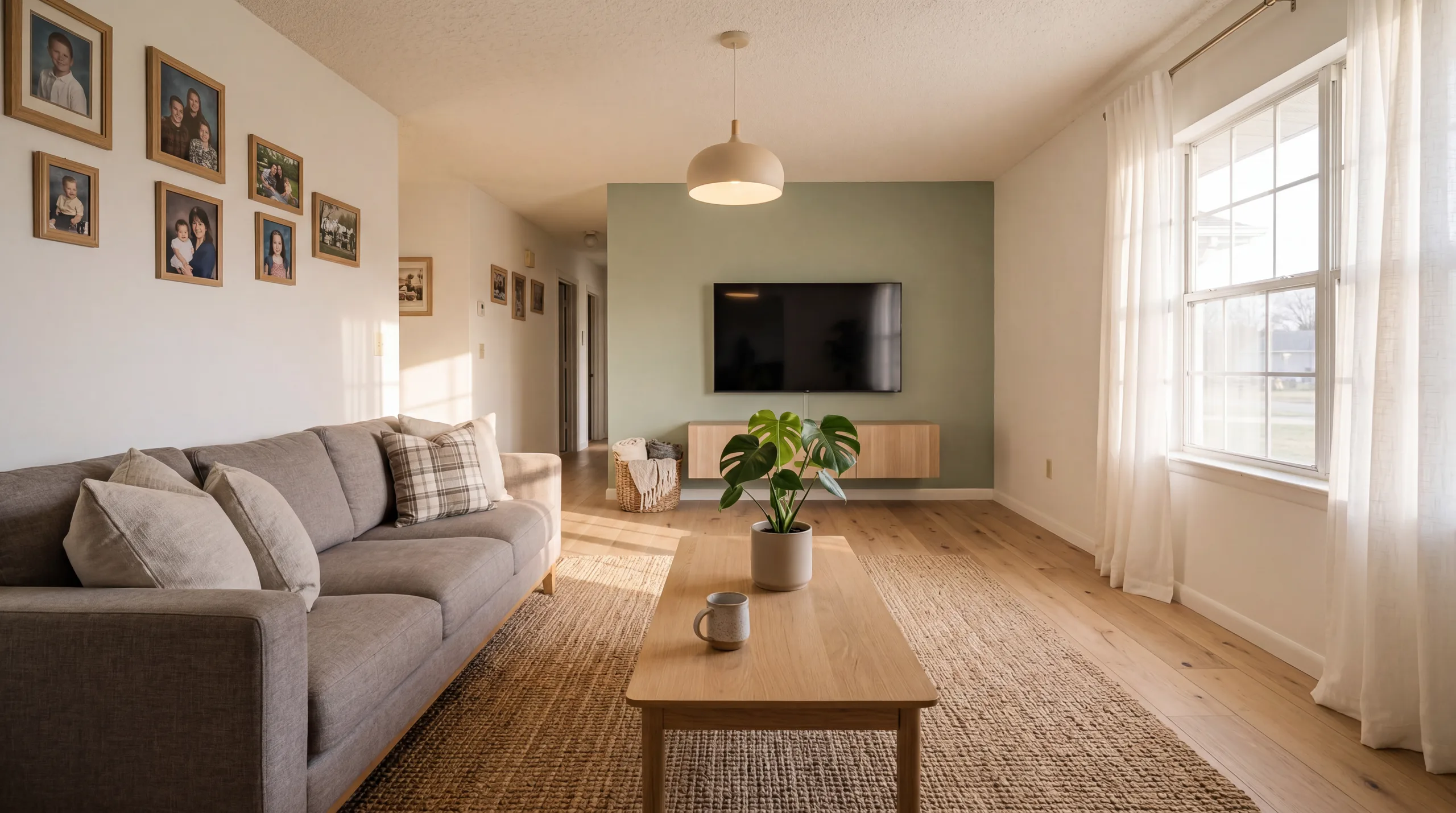
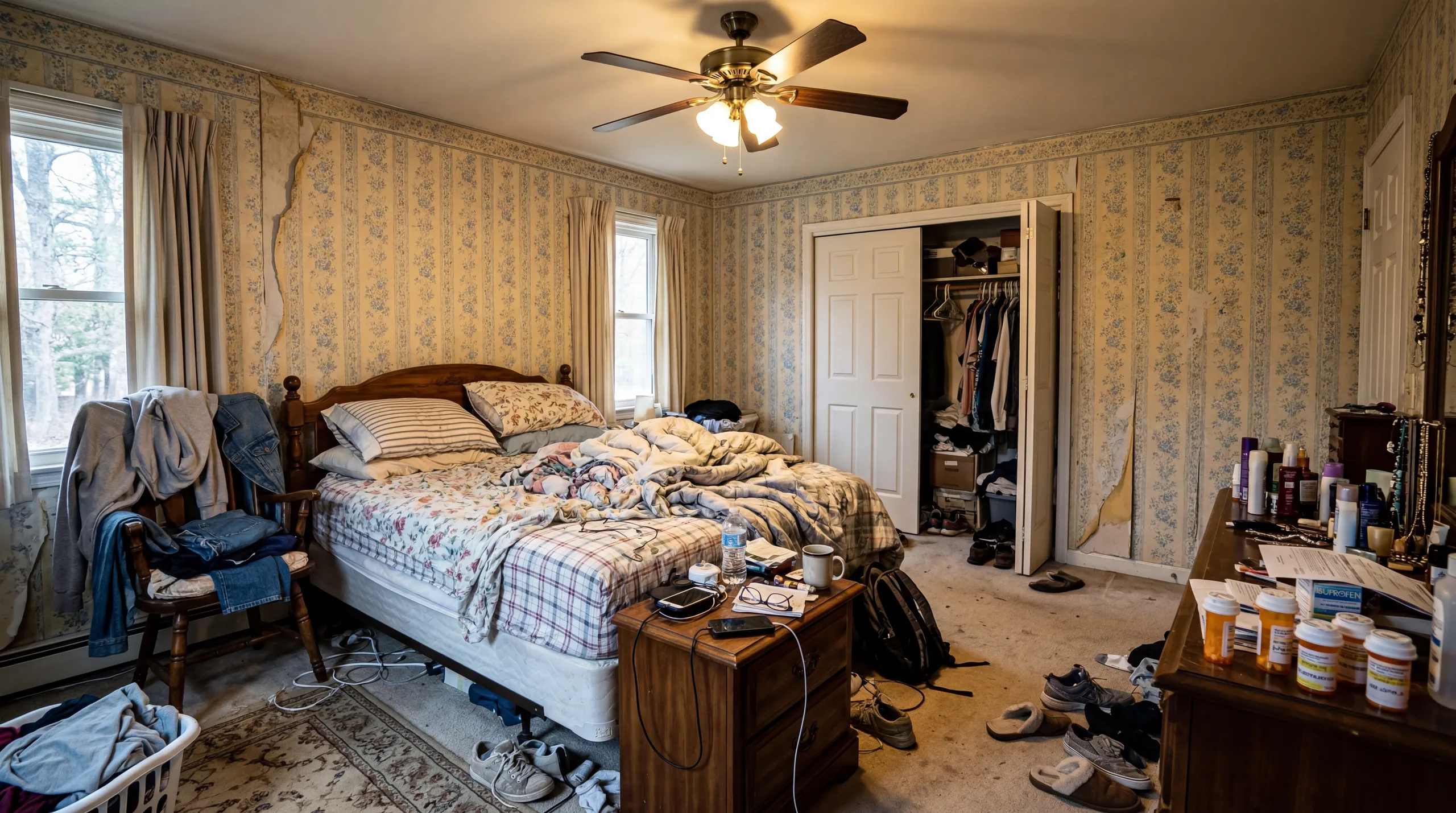
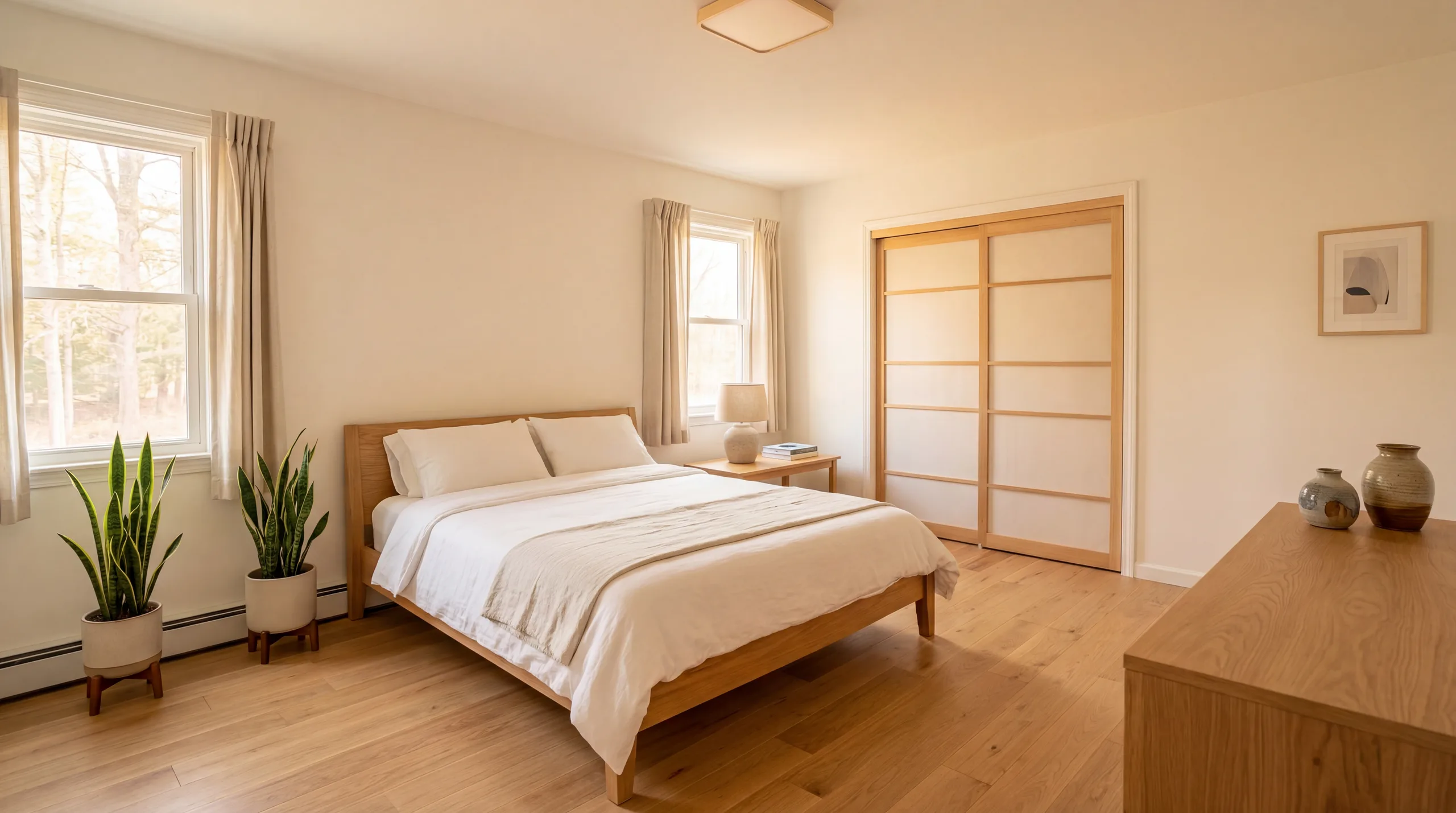
These before-and-after examples were generated with the same free credits you will receive. No difference in quality between free and paid.

Living Room before AI redesign Before
Living Room after AI redesign After

Living Room

AI-redesigned living room — generated in under 30 seconds with free credits.

Bedroom before AI redesign Before
Bedroom after AI redesign After

Bedroom

AI-redesigned bedroom — generated in under 30 seconds with free credits.

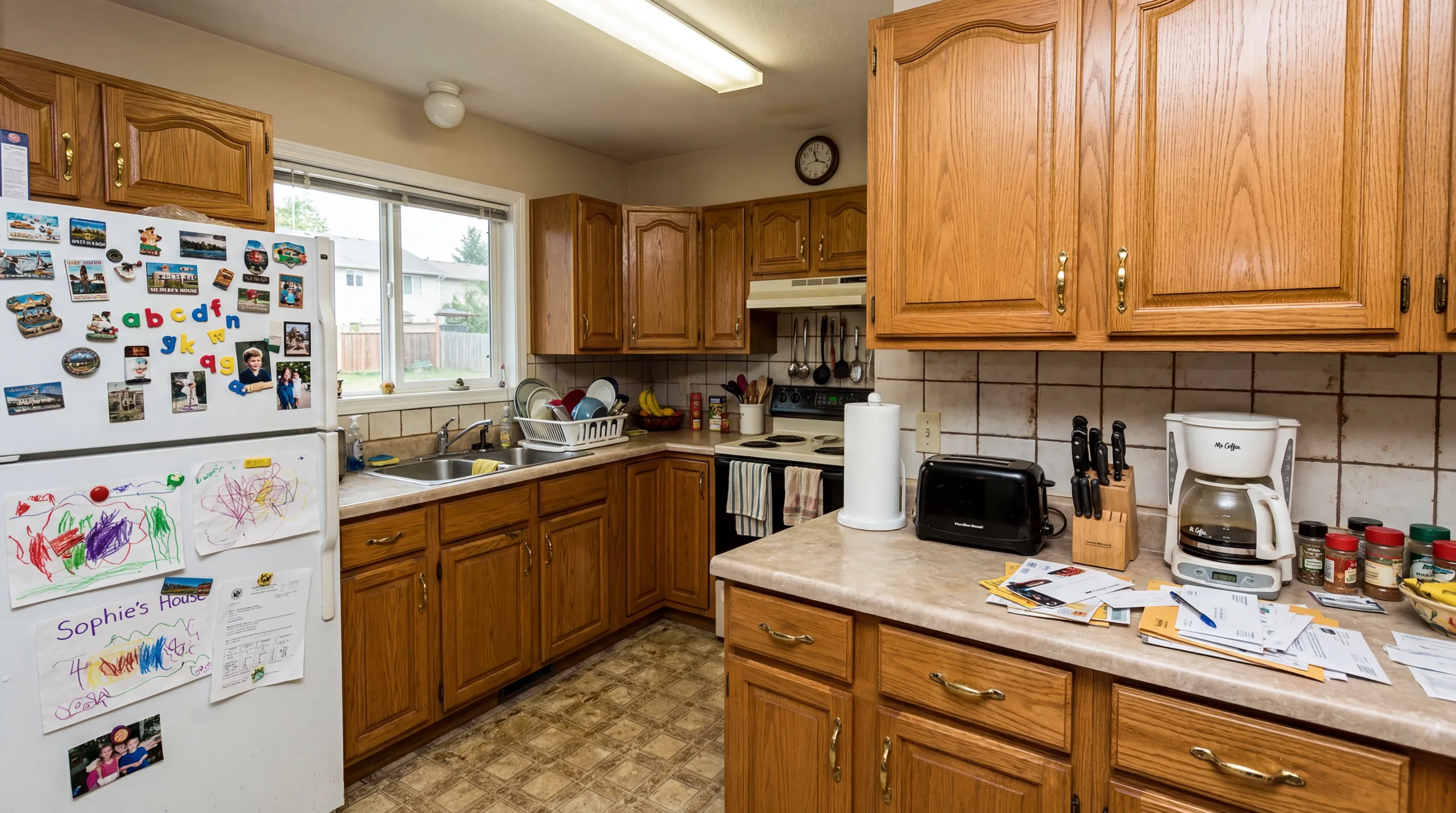
Kitchen before AI redesign Before
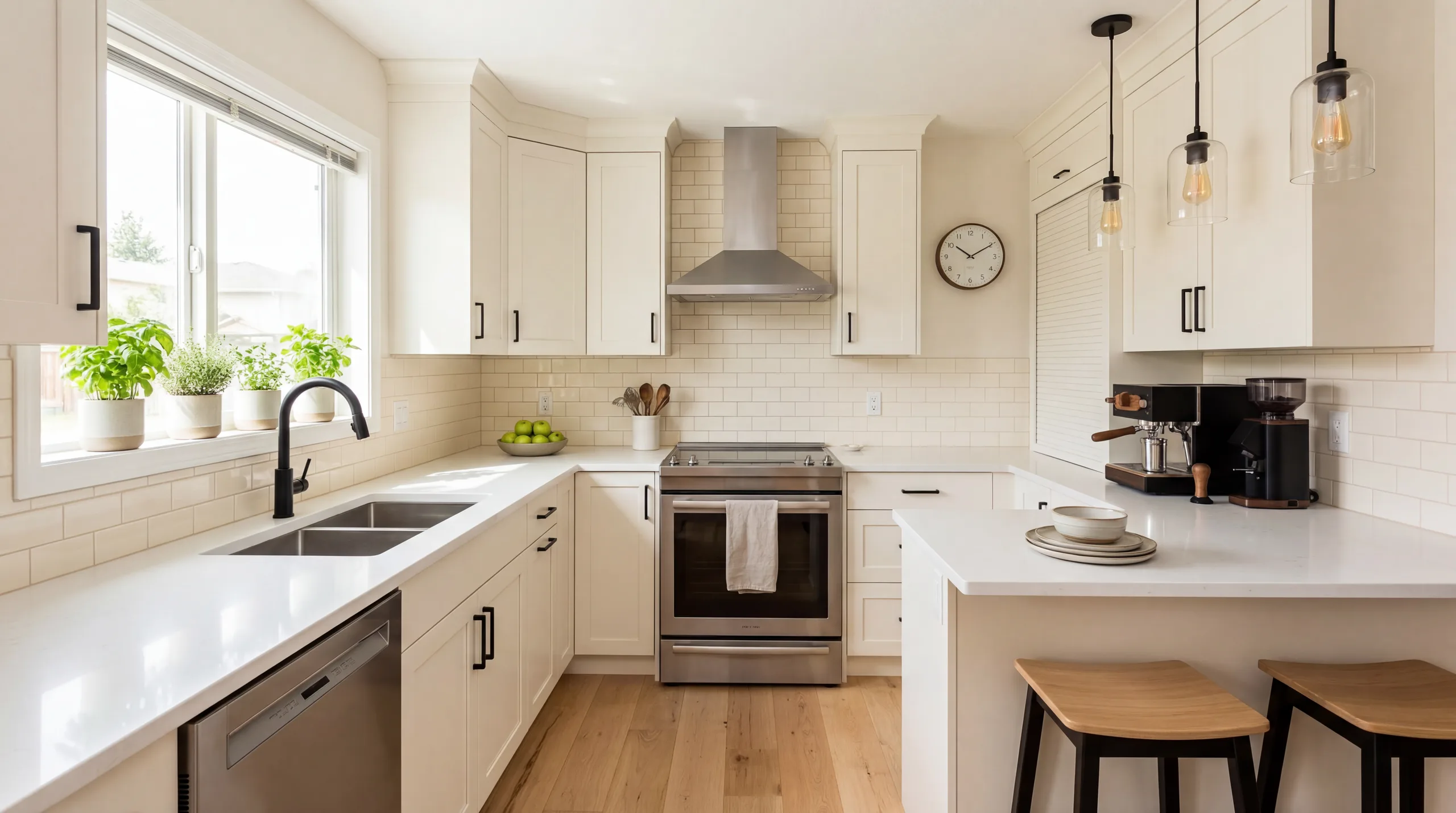
Kitchen after AI redesign After

Kitchen

AI-redesigned kitchen — generated in under 30 seconds with free credits.

How Free AI Room Design Works

Three steps from your current room to a photorealistic redesign — all free.

1

Upload Your Photo

Take a photo of any room — living room, bedroom, kitchen, bathroom, or any other space. Natural daylight and a wide angle produce the best results. The AI preserves your room's walls, windows, and layout.

2

Pick a Style

Choose from 12+ interior design styles. Each style applies a distinct set of furniture, colors, and materials to your room. Not sure where to start? Move-in Ready (Modern) works beautifully in any space.

3

Get Your Free Redesign

The AI generates a photorealistic rendering of your room in the chosen style — typically in under 30 seconds. Download the image, compare it with the original, or use your second free credit to try another style.

Who Uses Free AI Room Design?

Free AI room design is useful for anyone who wants to visualize a space before committing to changes.

Homeowners

Planning a renovation or redecorating? Use free AI room design to see what your living room, bedroom, or kitchen looks like in a new style before you spend a dollar on furniture or paint.

Renters

Cannot make permanent changes? Free AI room design shows you how different furniture styles and color schemes transform your rental without touching the walls or floors.

Airbnb Hosts

Test how a style refresh could improve your listing photos and guest experience. Many hosts use free credits to preview upgrades before investing in new decor.

Real Estate Agents

Try virtual staging on a vacant property with free credits. See the quality firsthand before purchasing a credit pack for a full listing — many agents stage 5-10 rooms per property.

Getting the Most Out of Your 2 Free Credits

You only have two free renders, so picking the right pair of styles matters. Here is how experienced users spend their free credits.

Pair 1 — Safe and stretch

Pick one conservative style (Modern or Scandinavian) that will look good no matter what, plus one stretch style (Industrial, Japanese, or Bohemian) that you are curious about. The safe render becomes your baseline; the stretch render tells you whether the curiosity is worth pursuing. This is the pattern we see most often with first-time users.

Pair 2 — Two versions of the same idea

If you already know you want a "warm and cozy" room, try Farmhouse and Scandinavian back to back. Both are warm, but they disagree on materials (reclaimed vs. pale wood) and palette (earthy vs. cool neutral). Comparing two nearby styles surfaces subtle preferences that are hard to describe in words but obvious once you see them side by side.

Pair 3 — Same style, two rooms

If you are planning to redesign multiple rooms in the same style, use one credit on your largest or most visible room (usually the living room) and one on a harder room to visualize (usually the bedroom or kitchen). Seeing the style applied to two different spaces tells you whether it holds up across the whole home or only works in one context.

Common mistake — two conservative styles

Do not spend both free credits on close siblings like Modern and Contemporary. The renders will look nearly identical and you will learn nothing. If you want to explore the Modern family, pick Modern plus something genuinely different (Industrial or Japanese) so you can see how far the pure version of each direction actually pushes.

Free AI Room Design FAQ

Is AI room design really free?

Yes. RoomFlip gives every visitor 2 free credits — enough to redesign 2 rooms in any style. No credit card, no subscription, no hidden fees. You upload a photo, pick a style, and get a photorealistic result without paying anything.

Do I need to create an account?

No account is required to browse styles and see how the tool works. To save your credits and download results, signing in with Google takes one click — but there is no traditional signup form, no password to remember, and no email verification.

How many free room designs can I get?

You receive 2 free credits when you start. Each preview-quality redesign costs 1 credit, so you can redesign 2 rooms for free. If you need more, credit packs start at $4.99 for 30 credits — just $0.17 per room.

What's the catch with free AI room design?

There is no catch. Free credits generate the same photorealistic quality as paid credits. The only difference is quantity — free gives you 2 redesigns, while paid packs give you 30 to 300. We offer free credits so you can see the quality before deciding to buy more.

Are free designs watermarked?

No. Free and paid redesigns are identical in quality and format. There are no watermarks, no reduced resolution, and no limitations on how you use the images you generate.

Can I use free designs for real estate listings?

Yes. Many real estate agents use their free credits to test virtual staging quality before purchasing a credit pack. The images are yours to use in MLS listings, marketing materials, and social media — just disclose that photos are virtually staged per local MLS rules.

How long does a free AI room design take to generate?

Under 30 seconds from upload to finished render, including the AI processing time. Large or very high-resolution photos may take 45-60 seconds. If a render takes longer than two minutes, it is usually a network issue — refresh and retry and the credit will not be consumed twice.

What file types and sizes are supported?

JPEG, PNG, and HEIC (iPhone) uploads up to 10MB. Most phone photos land well under that limit. The AI works best with photos between 1024×768 and 4096×3072 pixels — anything much smaller limits the render detail, and anything much larger gets downscaled during processing.

Can I redesign a room I am not in yet, like a future apartment?

Yes. Many renters and homebuyers use RoomFlip with listing photos they did not take themselves — an MLS photo, a Zillow listing, or a screenshot from a leasing site. As long as the photo shows the room clearly, the AI treats it like any other input.

Does the free tool work on mobile browsers?

Yes. The full RoomFlip experience — upload, style picker, render viewer, download — works on iOS Safari, Chrome on Android, and any modern mobile browser. You do not need to install an app. The render viewer is optimized so you can pinch-zoom on the after-image and compare side by side.

Start Designing for Free

Upload any room photo and see it transformed in seconds. No signup, no cost — your first 2 AI room designs are completely free.

How to Review an AI Room Design Before You Use It

RoomFlip is most useful when the input photo is honest and the output is treated as a design or staging draft. Upload a clear room photo, choose the closest intent, then review whether the result still respects the real walls, windows, flooring, door swings, ceiling height, and built-in fixtures. A room design preview should help someone make a decision, not hide constraints that will still exist in the real space.

Good AI room design starts before generation. Clear clutter, shoot in natural light, keep the camera level, and include enough floor area for the model to understand scale. Extreme wide-angle photos, dark corners, cropped walls, mirrors, and heavy furniture overlap can make results less stable. If the first output feels wrong, improve the input before trying to fix everything with a different style.

Use style selection as a decision tool. Modern is safest when you need broad appeal. Scandinavian adds warmth and calm. Farmhouse helps kitchens and dining areas feel more family-friendly. Industrial works when the architecture already supports a city loft mood. Japanese and Minimalist styles can calm a busy room, while Contemporary can make a listing feel more polished and premium.

For real estate or rental marketing, compare the original and redesigned image before publishing. If the output changes the perceived condition, size, layout, view, or permanent fixture quality of the room, it should be disclosed or avoided. Keep the original photo available so buyers, guests, clients, or teammates can understand what was changed.

A strong output should pass a simple realism check. Furniture should sit on the floor at believable scale, shadows should follow the room's light direction, rugs should not bend around impossible geometry, and windows, doors, baseboards, counters, and built-ins should remain recognizable. Small artifacts matter because buyers often zoom in on listing photos.

Avoid using AI output as a substitute for professional judgment where safety, legal, or fair-housing concerns apply. Room design suggestions can help with layout, style, and visual planning, but they do not verify building codes, accessibility needs, electrical work, structural changes, landlord rules, HOA restrictions, or local advertising requirements.

The best workflow is to generate two or three plausible directions, not twenty random ones. Pick one safe broad-market style, one warmer lifestyle style, and one premium style. Compare which version makes the room easier to understand. Then save the prompt, style, and output so the same direction can be reused across related rooms or listing photos.

For interior design planning, treat the image as a conversation starter. Use it to decide whether a sofa scale feels right, whether wood tones should be warmer, whether a rug anchors the room, or whether a wall color direction is worth testing. The final purchasing decision still needs measurements, samples, and a budget check.

For listing pages, keep the buyer's job in mind. A buyer scanning a portal does not need a fantasy rendering. They need to understand room function, scale, light, and potential quickly. If the AI output makes the room look impressive but hides awkward circulation, missing storage, or a strange layout, it is not doing the right job.

For redesign pages, record the real constraint before you generate: budget, furniture to keep, rental restrictions, child or pet needs, storage problems, natural light, or a fixed appliance location. The output becomes more useful when it responds to a constraint rather than only applying a decorative style.

For style-guide pages, use the generated room as a reference, not a rulebook. A style that works in one bedroom may feel wrong in a dark kitchen or narrow office. Compare two nearby styles before choosing one direction for a whole property.

Best fit

Empty rooms, early redesign planning, virtual staging, rental refreshes, listing photos, and style comparisons where the goal is to see believable visual options quickly.

Poor fit

Photos with major damage, blocked room geometry, low light, reflective clutter, or any situation where a generated image could misrepresent the real condition of a property.

Before publishing

Compare original and output, confirm permanent features are unchanged, disclose staging when needed, and test the image at mobile thumbnail size and full listing size.

Practical Review Checklist

Does the staged furniture fit the room's actual width, doorway placement, and window height?
Are permanent features such as cabinets, flooring, counters, fireplaces, and built-ins still accurate?
Would a buyer or guest feel misled when they compare the staged photo to the real room?
Does the chosen style match the property price, location, and likely audience?
Can the image still be understood at mobile thumbnail size?
Have you saved the original photo, prompt, style, and generated output for later reference?

Before relying on a redesign, decide what the image is supposed to prove. A homeowner may need a style direction before buying furniture. A host may need to test whether a guest bedroom can feel more premium. An agent may need a listing photo that helps buyers understand an empty room. Each job needs a different level of realism and restraint.

Review the image against fixed constraints. If the room has a low ceiling, narrow door, unusual window, awkward corner, visible vent, dated cabinet line, or flooring transition, that constraint should still make sense in the output. The best AI design keeps the real room understandable while showing a better version of how it can be used.

Use prompts to preserve what matters. Tell the tool to keep existing windows, floors, cabinets, appliances, built-ins, or architectural features when those details are part of the decision. If you plan to renovate those items, treat the result as a concept, not a final representation of the current property.

For real estate pages, avoid over-styling. Buyers need a clear read on function, proportion, light, and circulation. A quiet modern living room that makes the layout obvious can outperform a dramatic render that hides the actual room shape. Keep at least one staged version simple enough for a mobile thumbnail.

For personal design pages, compare nearby styles before choosing one direction. Modern, Scandinavian, and Japanese can look similar in clean rooms but lead to very different furniture purchases. Farmhouse and Coastal both add warmth but signal different buyers. A quick side-by-side prevents expensive mistakes later.

Save the useful context with every output: source photo, room type, style, prompt, credit cost, and what you accepted or rejected. That record turns one generated image into a repeatable design direction for the next room, listing, or client conversation.

A complete room-design page should answer more than "can the AI make a pretty image?" It should help the visitor decide whether the room is suitable for AI redesign, what photo to upload, what style to choose, which fixed features to preserve, how to judge the output, and when the result needs an artist, designer, contractor, agent, or broker review before being used publicly.
Input quality: level camera, natural light, visible floor, uncluttered surfaces, and no cropped corners.
Decision quality: compare two nearby styles before buying furniture, repainting, or publishing a staged listing image.
Publishing quality: keep the original photo, disclose staging when needed, and verify the image does not misrepresent the room.

Some pages on RoomFlip are tools, some are style guides, and some are room-specific planning pages. They should all make the visitor more capable of making a design decision. That means explaining what the AI can change, what it should preserve, what the user should photograph, what the output proves, and what still needs human review before money is spent or a listing is published.

A useful result is not always the most dramatic one. The best version is the one that helps someone compare options, communicate with a client or partner, and move to the next decision with fewer surprises.

When a page is about a tool, the user should leave with a better upload strategy. When a page is about a style, the user should understand the visual tradeoff. When a page is about a room, the user should know which constraints matter most. That practical context is what separates a useful AI design page from a shallow gallery page.

Keep the final step human. A generated image can speed up planning, but furniture purchase, renovation, listing claims, fair-housing wording, and buyer disclosure still need careful review by the person responsible for the real room.

If the page does not help with that review, it is not ready to rank as a decision page.

Every page should leave the user with a clearer next action.

That is the standard for the about page, the tool page, and every style or guide hub.